Inside projects

The project is the unit of design work.

One workspace per client engagement — with its own font roster, its own pairings, its own licence clearances, its own locale list, its own team, and a live readiness scorecard. The fonts view is for your library; the projects view is for everything you do with your library.

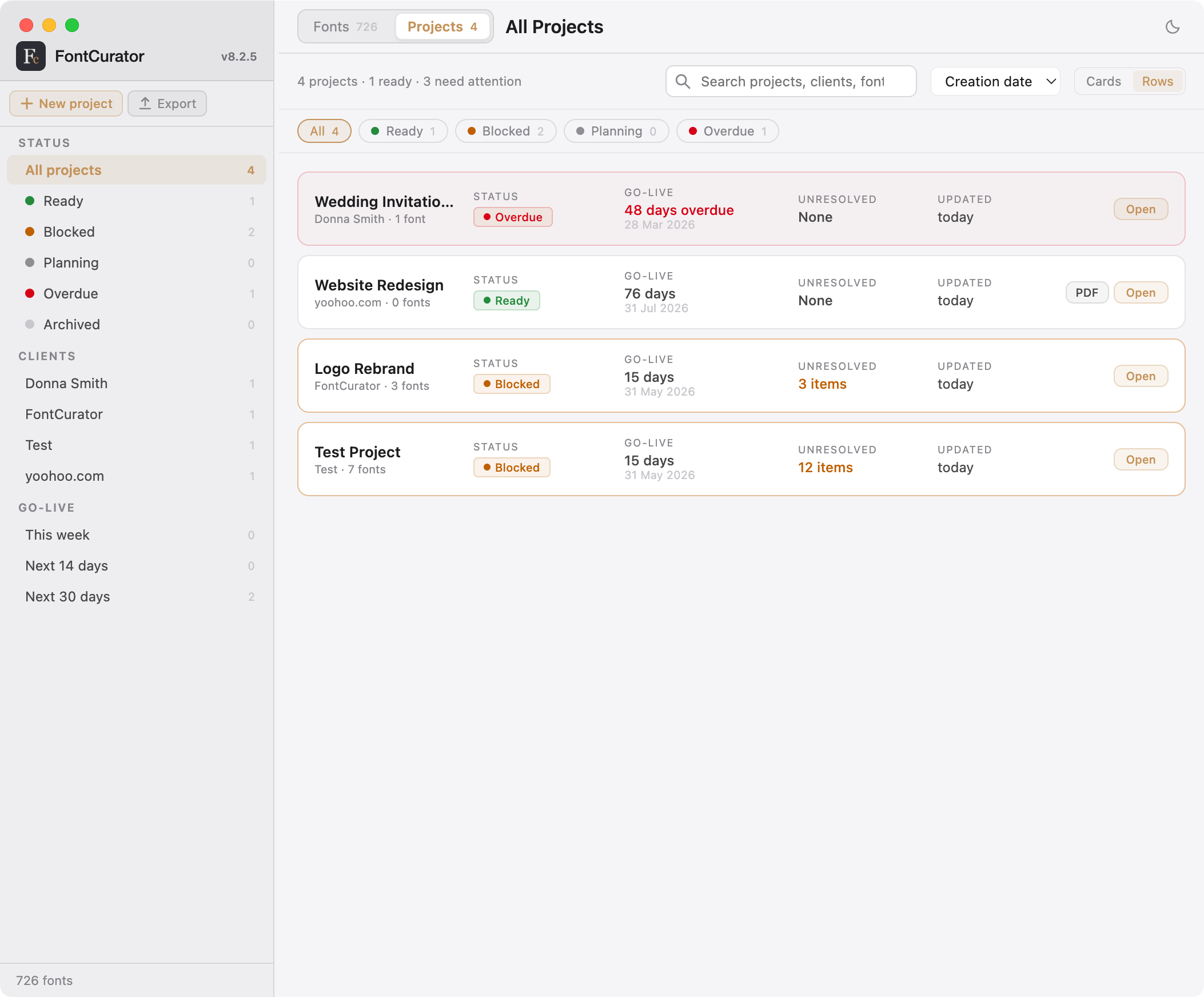
FontCurator · Projects list
FontCurator Projects list view — project cards each showing client, lead-font specimen, status pill, days-to-go-live chip, and font count.

01 · Plan

Every engagement, its own workspace.

Switch into Projects from the top-of-window toggle and you see every active engagement. Filter by status, sort by go-live date or recency. Open one and the workspace splits into eight tabs — each a lens on the same body of work — with a live status pill and days-to-go-live chip pinned to the header no matter which tab you’re on.

  • Status pills: Planning · Ready · Blocked · Overdue · Archived
  • Eight tabs: Overview, Fonts, Pairings, Licensing, Team, Readiness, Activity, Export
  • Per-font role & status inside the project: headline / body / accent, tried / selected / final
  • Top-line readiness summary on the Overview tab — one number, every tab’s health rolled up

02 · Pair

The pairings, grouped how you actually use them.

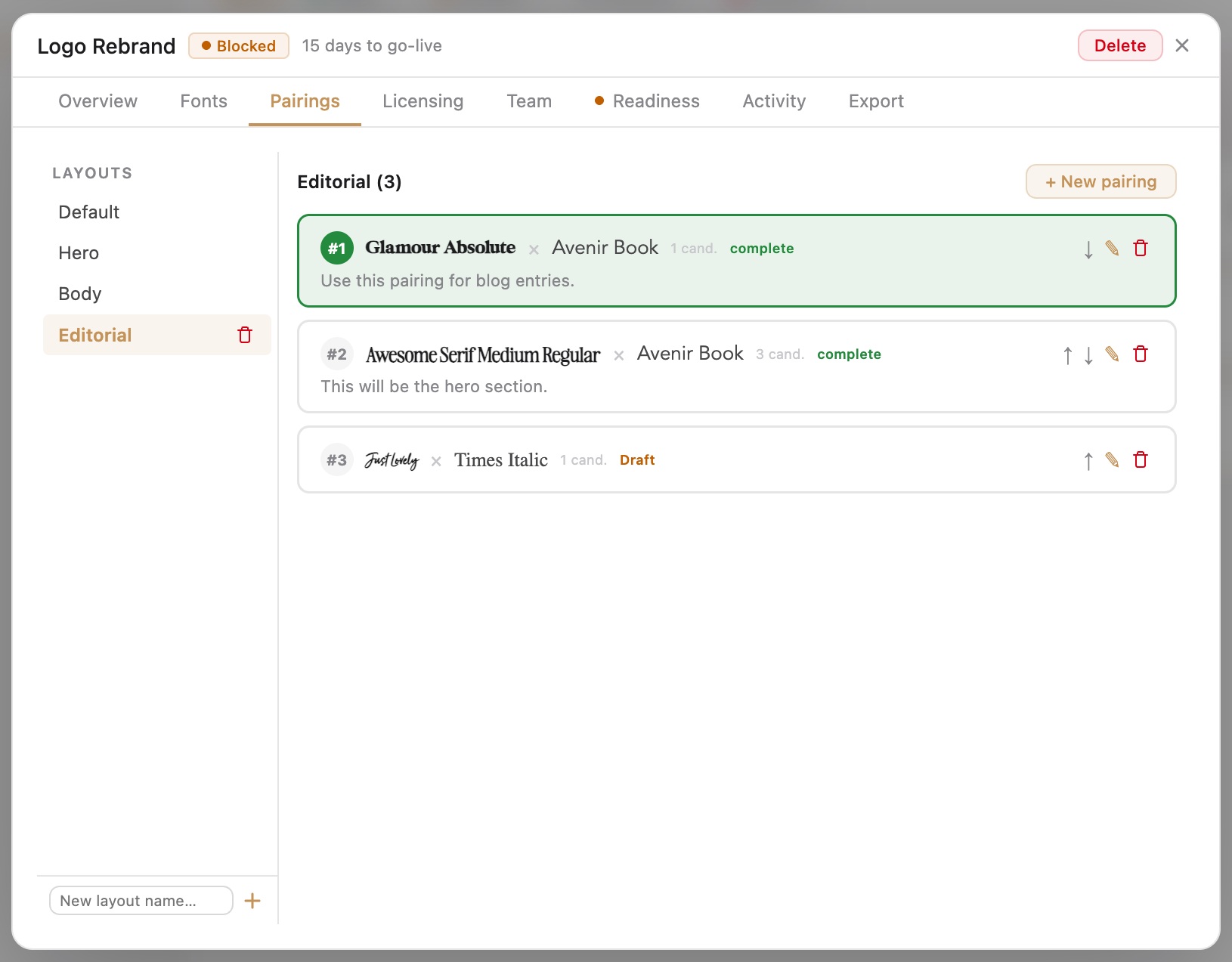
The project’s Pairings tab gathers every combination saved against the work, grouped by layout context — Hero, Body, Editorial, Navigation, or whatever you name them. Mark one pairing primary per context; queue candidates underneath. When the brief evolves, swap the primary; the candidates wait their turn.

  • One pairing primary per layout context, candidates beneath
  • Reorder, swap, iterate without losing prior versions
  • Export any pairing as a single-pairing specimen PDF for client review
  • Export the full project pairings gallery as a multi-page document

See how pairings get created from Font Detail

Project · Pairings tab
A project's Pairings tab — pairings grouped by layout context with primary-candidate badges, each card showing the headline and body fonts large with their names and sizes.
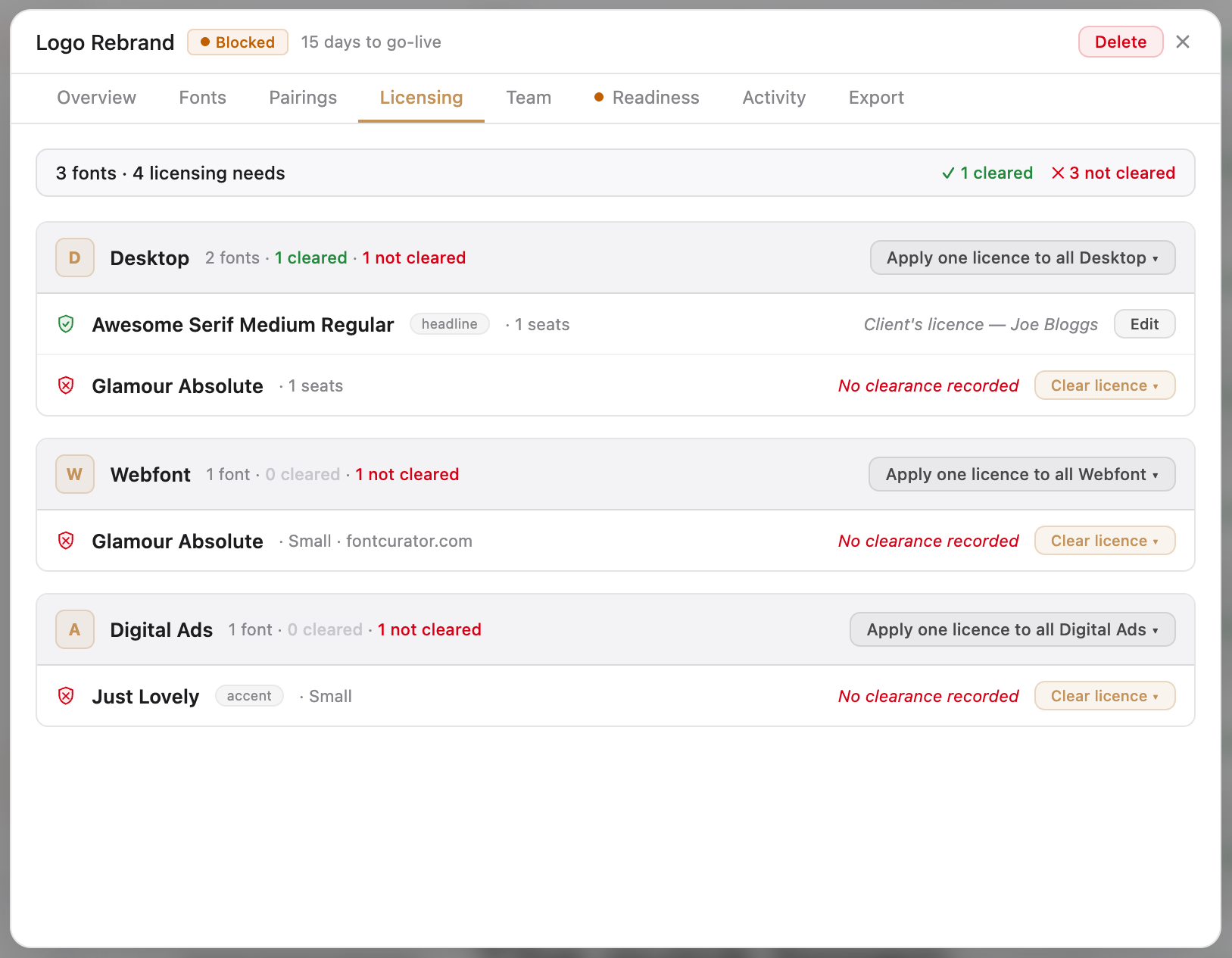
Project · Licensing tab
Project Licensing tab — needs on one side as a table of font/type with cleared/uncleared status, clearance records on the other with source, fonts covered, and attached evidence files. Lines visually connect needs to records.

03 · License

What this project needs, and what’s cleared.

Owning a licence is not the same as having the right one for the work in front of you. A campaign that runs as a webfont, as digital ads, and as printed packaging needs three different licences for the same typeface. FontCurator tracks the needs, the clearances, and the evidence — font by font, project by project.

  • Needs — Desktop, Webfont, Digital Ads, EPub, or custom; with quantities (seats, domains, impressions)
  • Clearances — source (foundry / client / open-source / designer), cleared-by, date, attached evidence
  • One clearance can cover many fonts at once; one need can be satisfied by multiple records
  • Designer-cleared workflow surfaces who carries which licence — you or the client

04 · Locales

Cleared for Polish? Per font, per locale.

Add target locales once at the start of the engagement and FontCurator carries the list through every project view. For each font × locale combination you can mark a clearance — this typeface, in this language, approved for use — with the exact missing characters rendered in red on the clearance dialog so you sign off knowing what you’re waiving.

  • Curated database of languages & scripts — names, codes, writing-system metadata
  • Per-font, per-locale clearance with cleared-by, date, scope notes
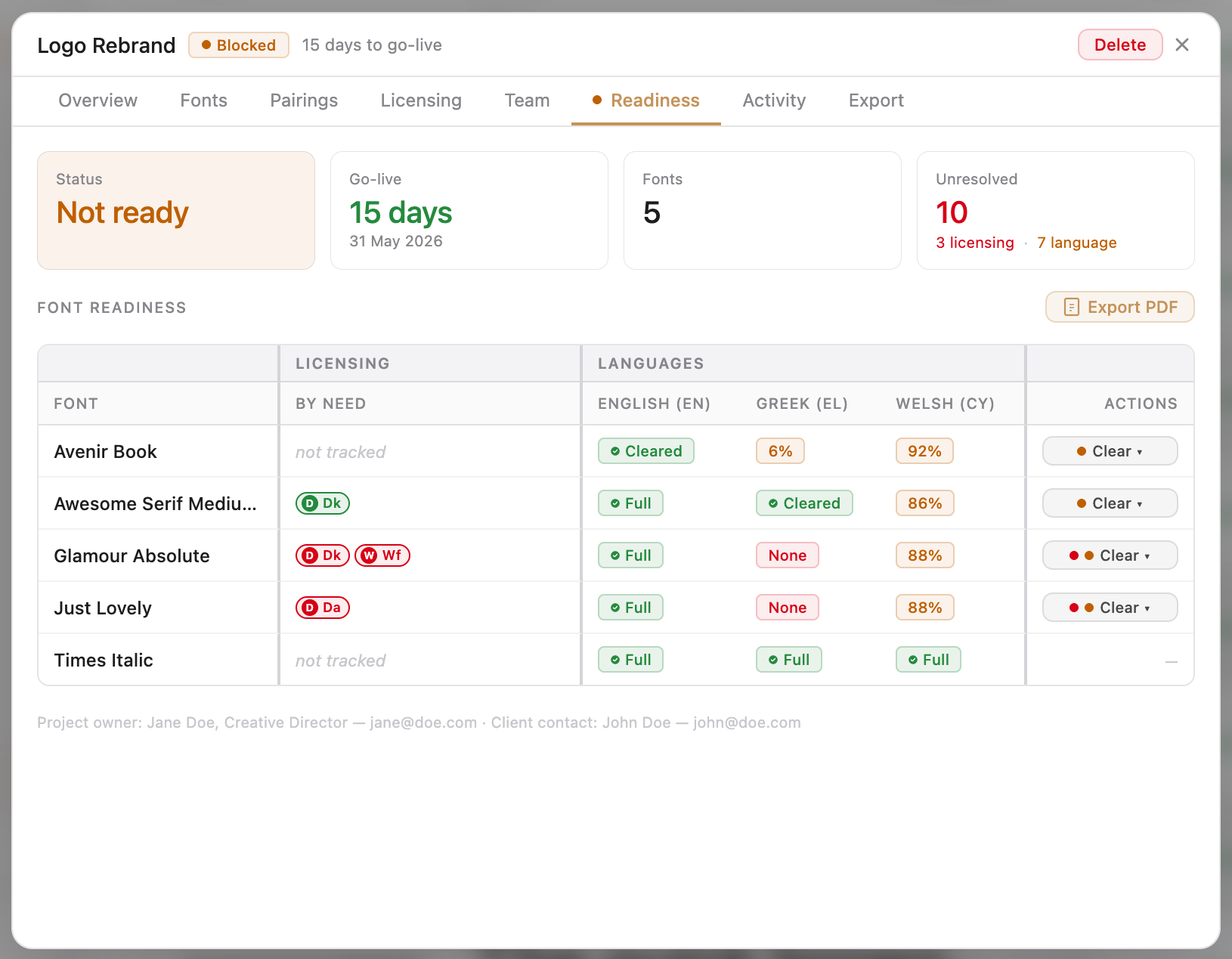
  • Readiness matrix: fonts on rows, locales on columns; each cell colour-coded
  • Matrix layout adapts to locale count — portrait, landscape, or multi-page
Project · Readiness matrix
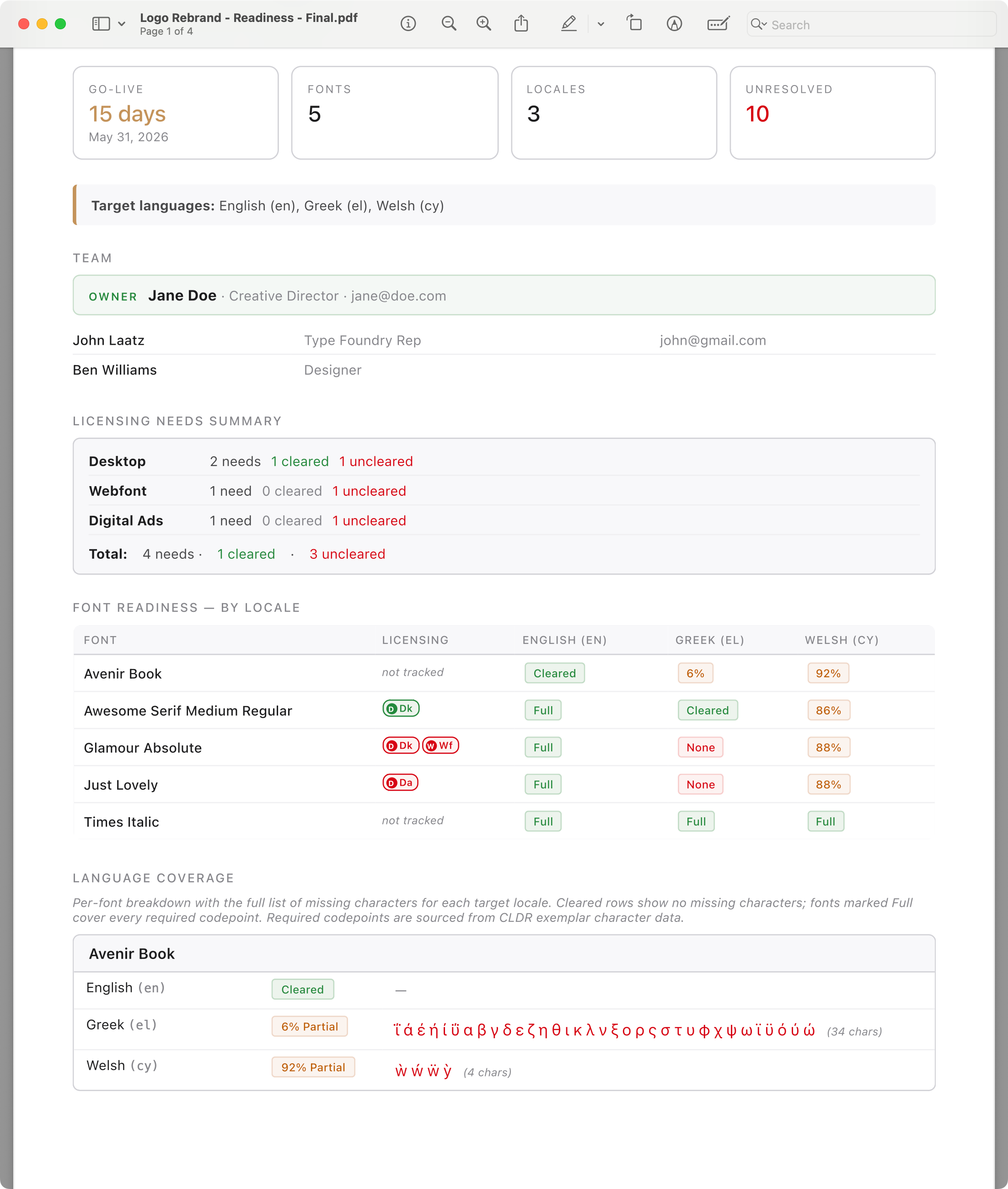
Project Readiness matrix — fonts on rows, locales on columns, each cell colour-coded for full coverage cleared (green), partial coverage with percentage (orange), missing characters (red), or not yet cleared (grey).
Project · Team tab
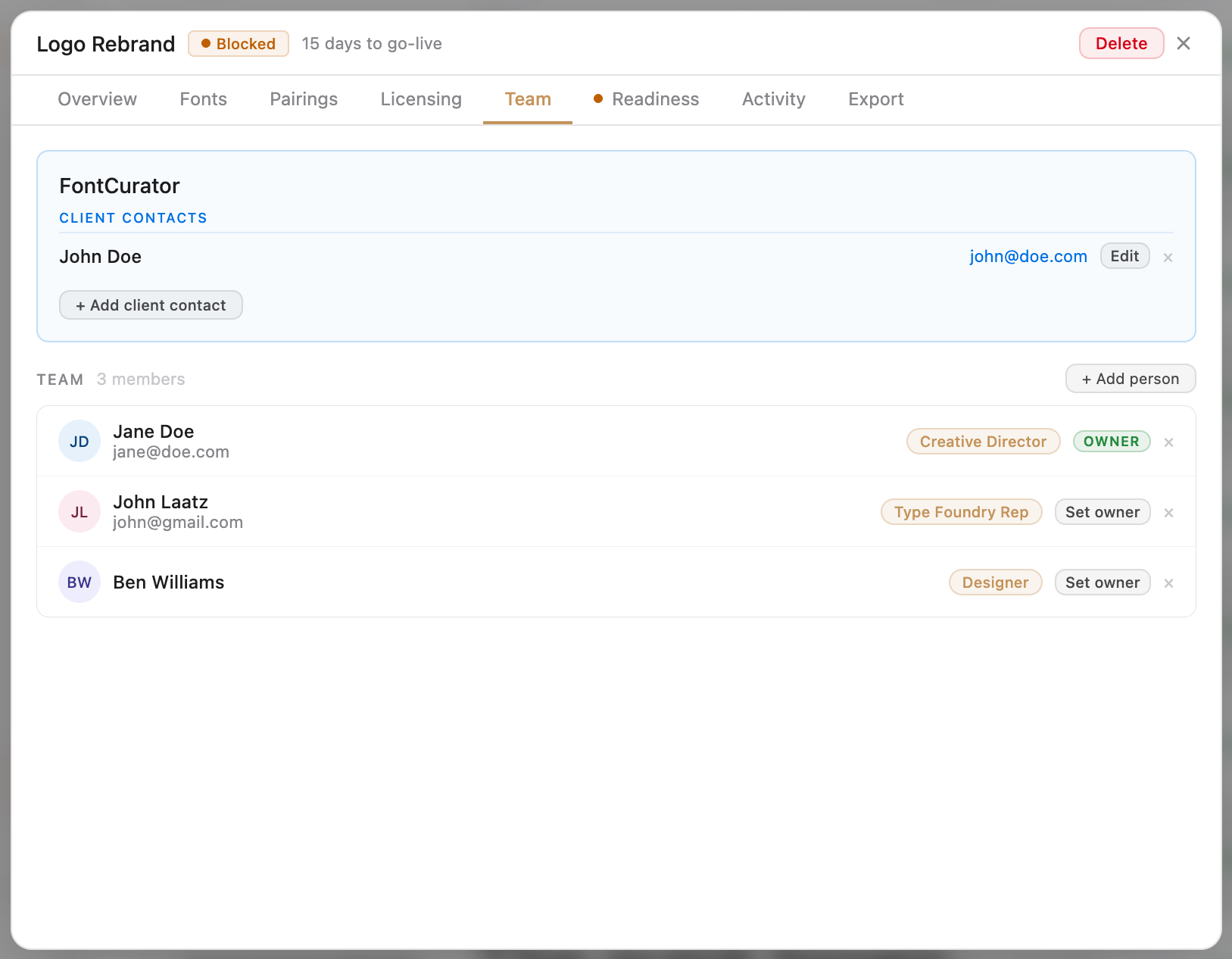
Project Team tab — Project Owner at the top, Team Members in the middle as cards with roles, and Client Contact at the bottom with organisation and primary contact details.

05 · Team

Who’s working on this, and how to reach them.

Every project carries a small directory of the people involved — your team, the client’s team, the studio lead — so you never have to dig through an old email thread to find who approved what. Behind the panel sits a global contacts and clients database; the next engagement starts with that pool already populated.

  • Project owner, team members with roles, named client contact
  • Global contacts & clients database — the next project starts with familiar faces
  • Clearance records cite the cleared-by name — chain of evidence is human-readable
  • Everything stays on your Mac — nothing uploaded, indexed, or shared

06 · Audit

One PDF tells the whole story.

When the client asks “are we good to launch?” — or an auditor asks “show me the licensing on this campaign” — FontCurator generates a single PDF that says yes, here is everything. Set in typography befitting a design-led document. Not a debug log; something you co-brand and hand over.

  • Header, summary, team, licensing-needs summary, readiness matrix
  • Language coverage — per-font, per-locale, with missing glyphs rendered in red
  • Clearance records with attached evidence references; per-locale language-clearance log
  • Most-recent 200 timestamped activity events; toggleable sections; print resolution
Generated readiness PDF
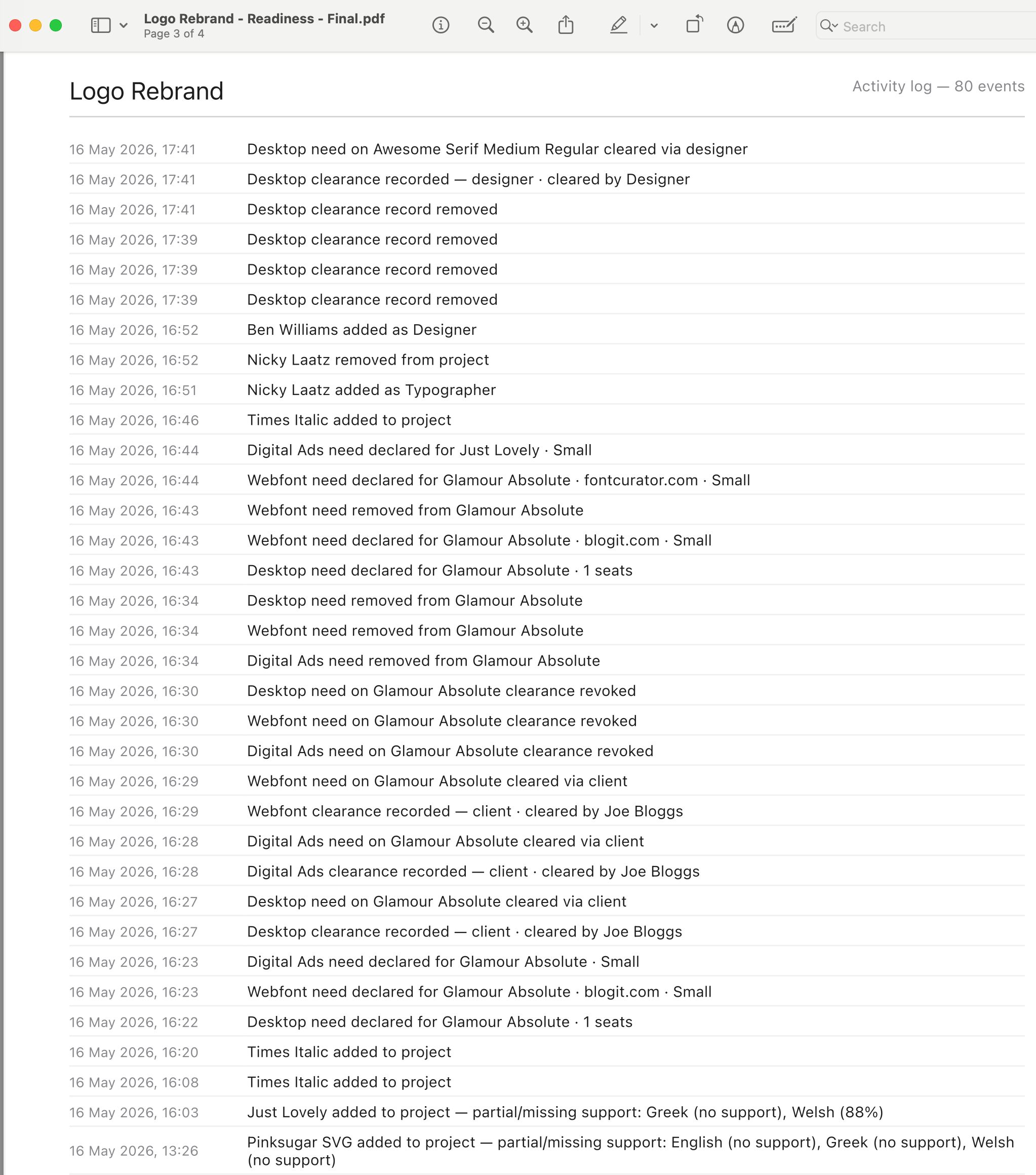
The generated project readiness PDF — title page with project summary, a two-page readiness matrix in landscape, a clearance-records page with file references, and a closing activity-log page. Clean typography, generous margins.
Project · Activity tab
The Activity tab inside a project — reverse-chronological list of entries, each with a coloured event icon, timestamp, one-line description, and where relevant the actor who performed the action.

07 · Trace

Every action, timestamped, forever.

FontCurator logs every action three ways — global, per-project, per-font — automatically, in the same transaction that creates the record. Reopen a project six months after delivery and the activity tab tells you what happened, who did it, and when. When did the licence record get added? Who signed off the German clearance? When was the project marked ready? The log answers.

  • Per-project log: fonts added/removed, locales cleared, team changes, status flips, licence needs declared and cleared
  • Per-font log: indexed, imported, installed, licence added or modified, project assignments
  • Global log: every action you’ve ever taken in the app, searchable by date or type
  • Quiet and complete — you never have to “save the log”; it cannot fall out of sync

Yours, not ours.

Three guarantees that shape every other decision in the app. No subscription — you buy a version and you own it. No lock-in — your fonts stay in Font Book; your data exports any time. No forced upgrades — today’s version runs for as long as your Mac supports it, and tomorrow’s upgrade is yours to choose, or not.

Built to compound.

Pairings, clearances, contacts, and licence records all flow forward into future projects. A decision you made for one engagement is one click away in the next. Decade-long working libraries become decade-long working memory — the kind a studio actually accrues equity in.

Ready to start shipping with proof

Stop reconstructing the trail every launch.
Start running projects on the record.