FontCurator 9.3.0
Look closer. Every glyph, exactly as drawn.
This release includes a lot of UI reworks and new features, turning FontCurator into a true font inspector — with deep OpenType insight, real typographic comparison tools, and sharper glyph rendering.
New
- OpenType feature insight: the glyph table now knows every glyph's features — filter ligatures, alternates and stylistic sets at a glance. They are also now colour coded for quick and easy reference.
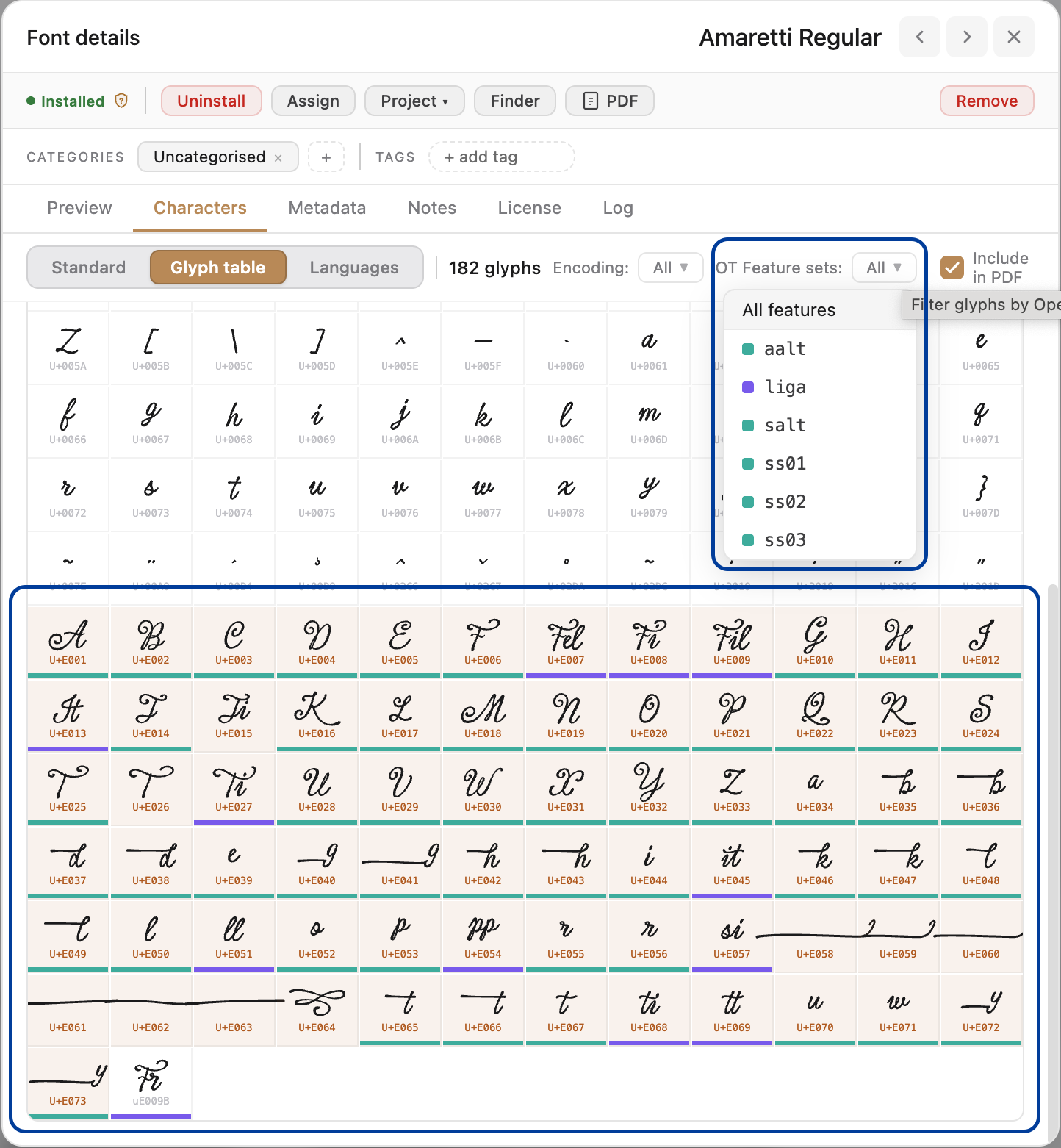
The new FontCurator Glyph table - Typographic axis: see a glyph sitting on its real baseline, x-height, cap, ascender and descender lines, exactly as drawn.
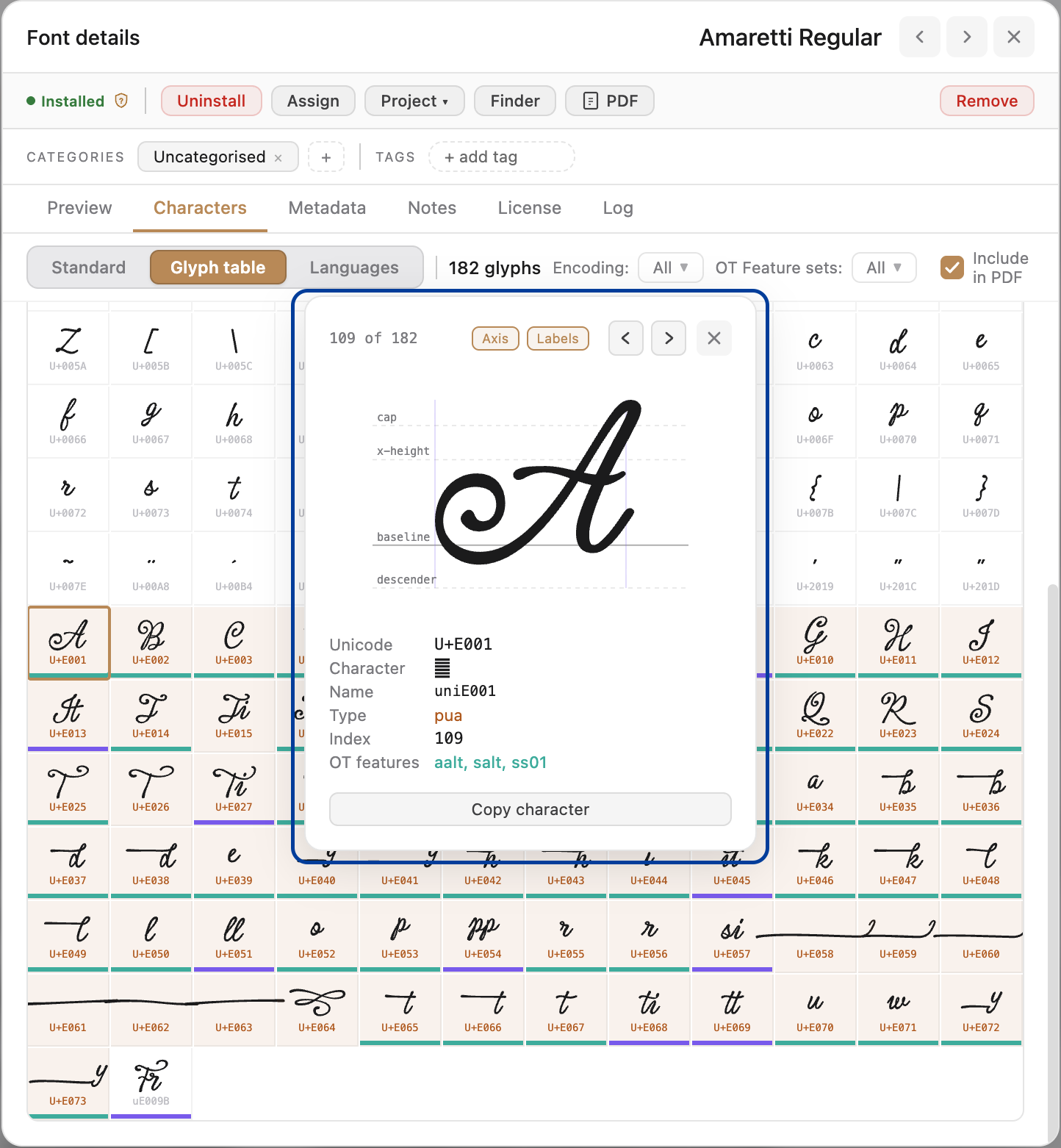
Glyph zoom showing the typographic axis - Crisp vector glyphs: every glyph — including hidden ligatures — renders at any zoom, on the baseline.
- Glyph comparison & overlay: compare two fonts' glyphs on one baseline, or overlay them to see exact cap, x-height and width differences.
- Custom-text comparison: type your own or a client's text and compare two fonts side-by-side and overlaid — with a one-page PDF export.
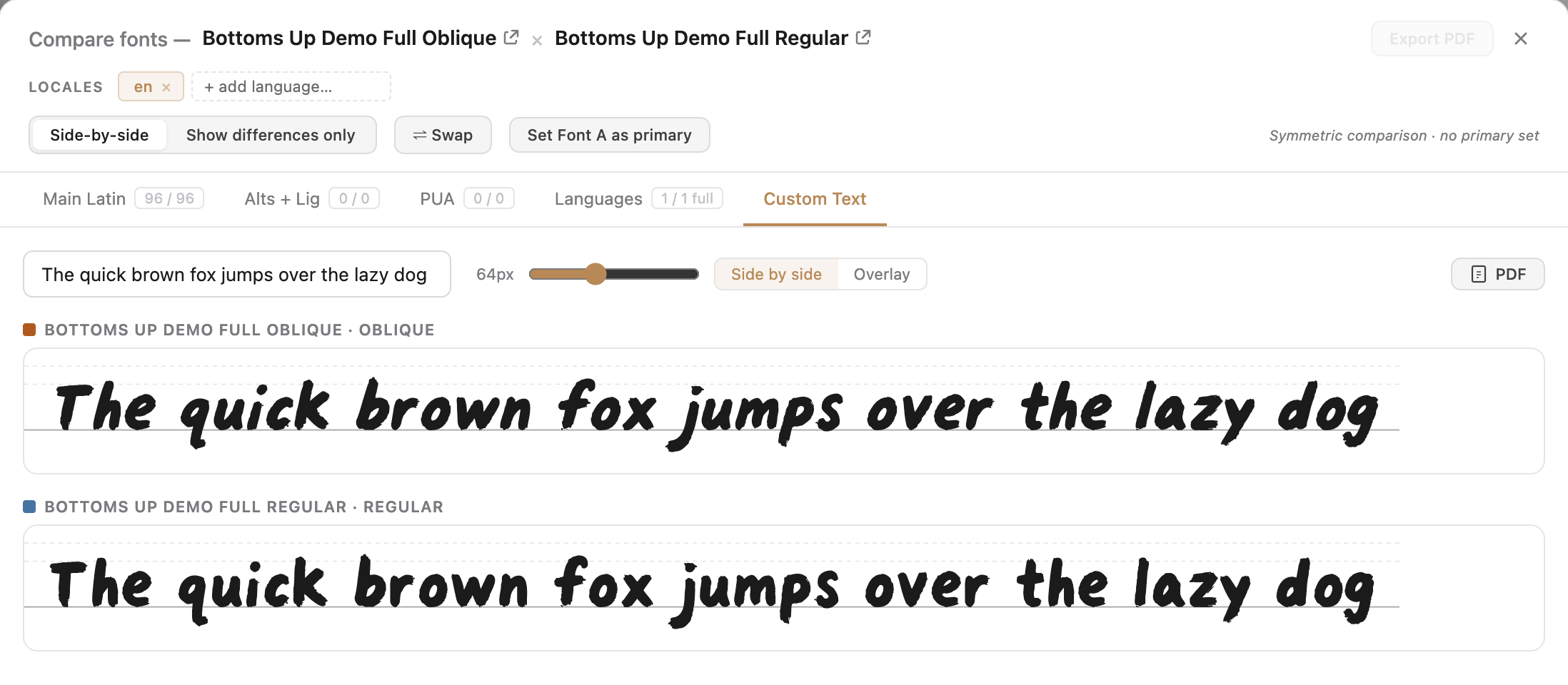
New Custom Text Comparison - Side by side 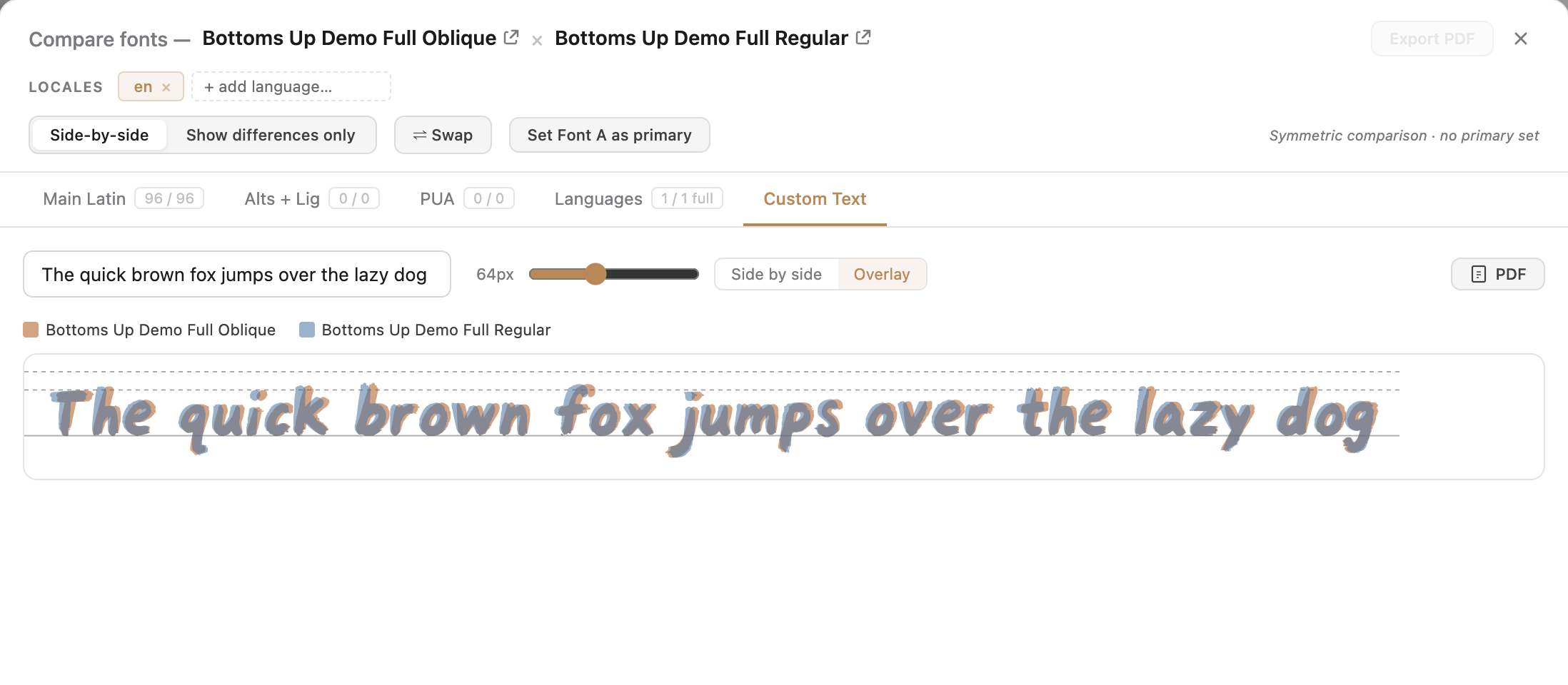
New Custom Text Comparison - Overlayed - Interactive stylistic-set preview: a pinned, scrollable panel showing each letter's before → after for an OpenType set, applied live to your text.
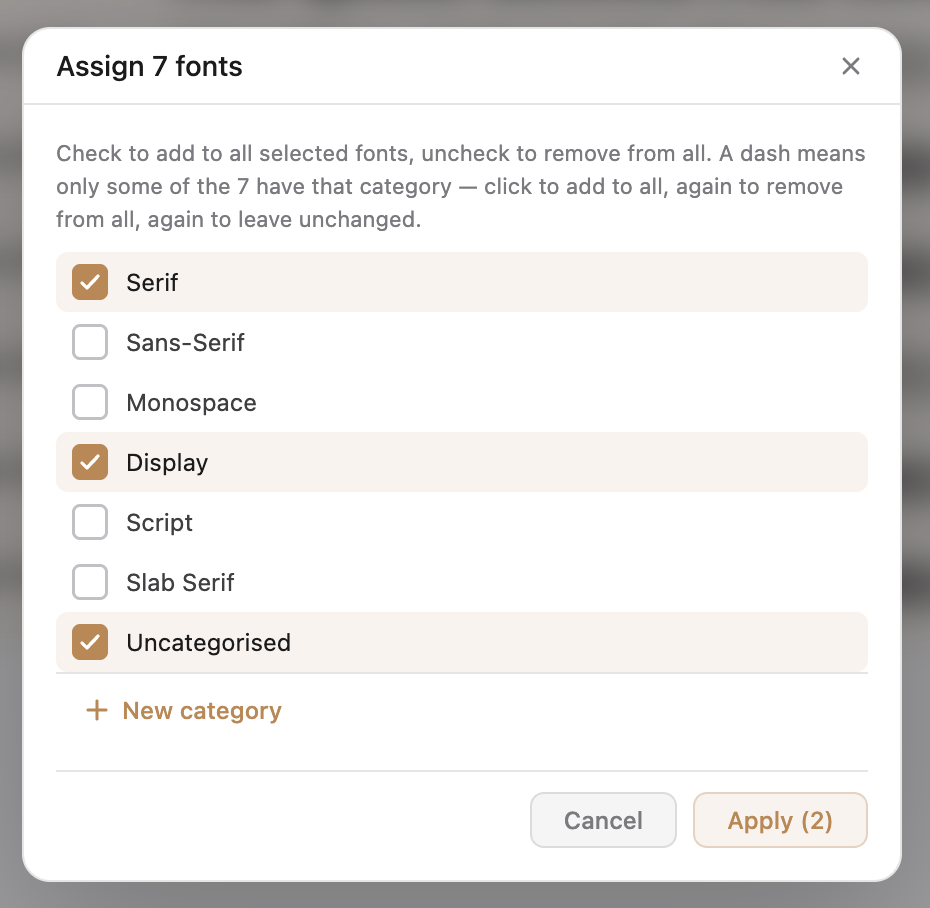
- Multi-select categories: assign and remove categories across many selected fonts at once.
Improved
- Font Details: a toolbar rework and in the Preview Tab (default tab), the font's name set in its own face plus a waterfall specimen, with editable text and live OpenType toggles.
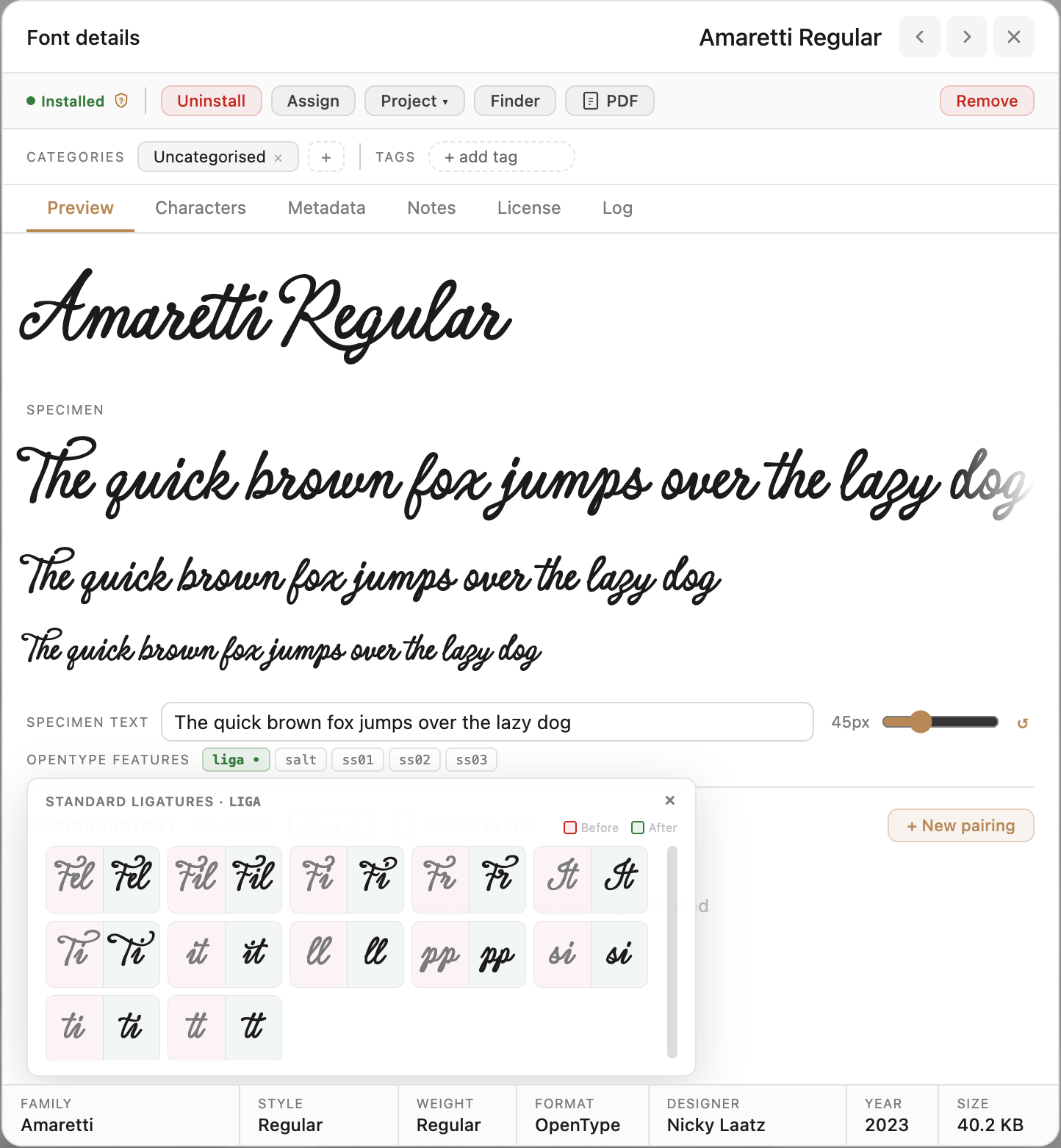
The reworked Font Details dialog - Per-font sizing: preview and character sizes are remembered per font, with a one-click reset to neutral.
- Glyph-table & navigation: compact filter dropdowns, a prominent glyph count, a proper Characters switcher, and a calmer layout.
- Specimen PDFs: now include the waterfall with independent size control, plus the new comparison export.
- Sorting & settings: Default Sort now works (with a "Last Used" option), and the Settings dialog is cleaned up.
- Tag Management: Tags can now be deleted and modified. Simply right click any tag in the side bar to access the new features.
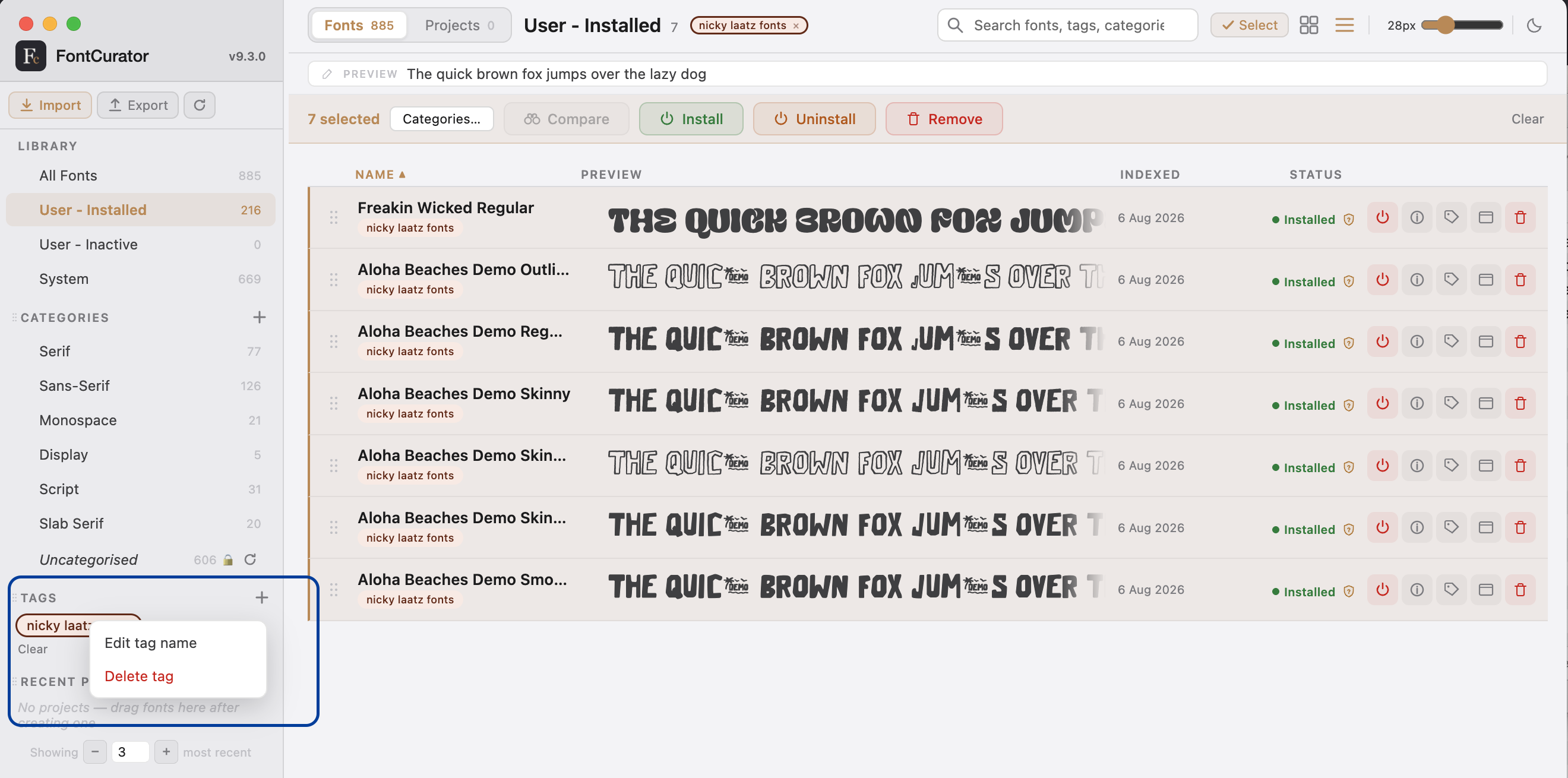
Tag Management Context Menu - Select Toolbar: Allows for assignment of a selection of categories, not just one. Uncheck one and check 3 more, all fonts will be assigned the category selection, skipping the assignment if not applicable. A new "install" option has been added, when previously it only offered uninstall and remove.
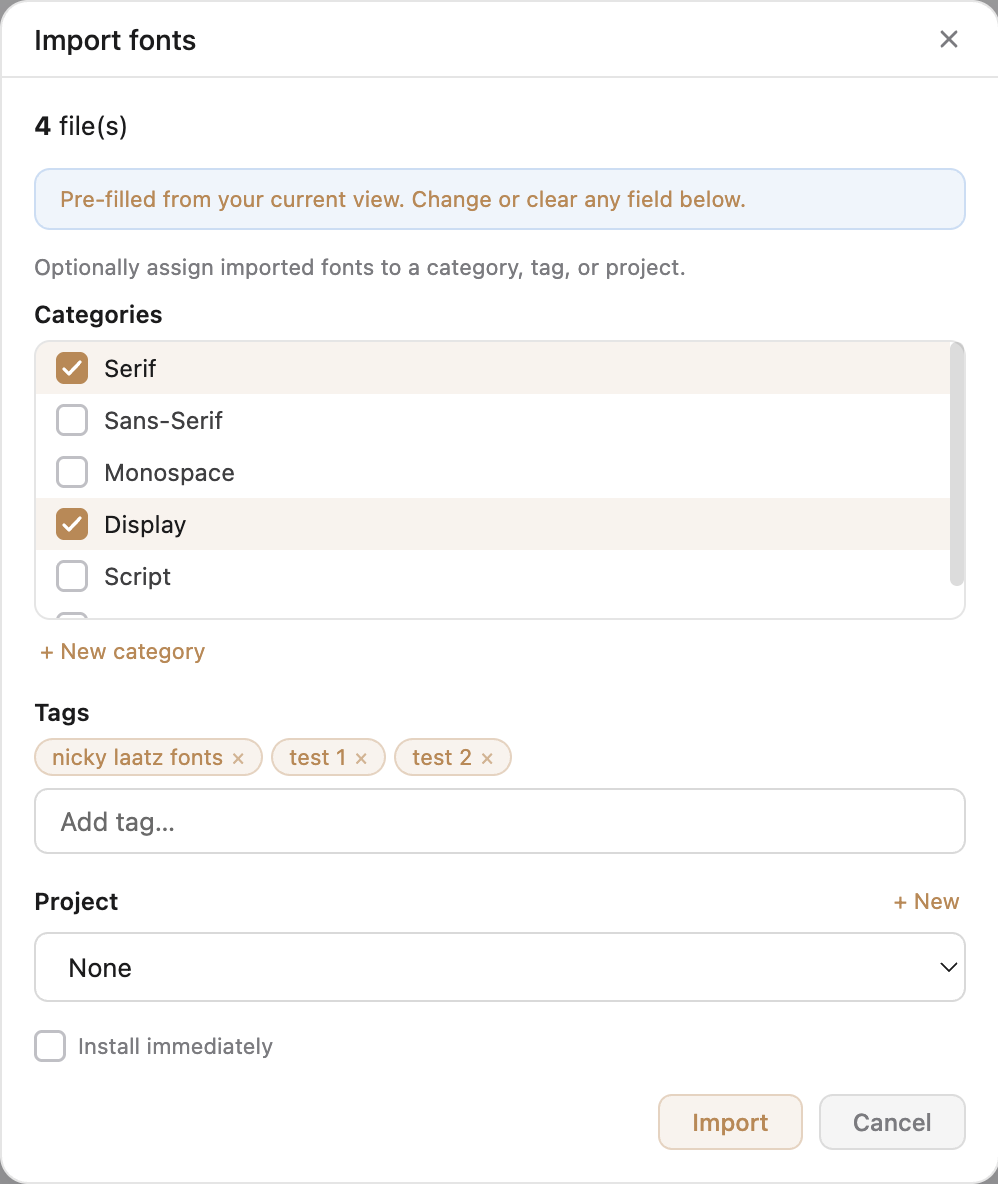
Category Assignment Dialog - Imports made quicker and easier: You can now assign fonts to multiple tags and categories right at the import. Running out of time and need to come back and curate later? Simply add an additional custom tag so that you can recall the fonts you imported later.
Updated Import Dialog - Font Letter Comparisons: Not only have we introduced custom text comparisons, but we have also enhanced the letter comparisons, offering them on the same new typographic axis, in both side-by-side and overlay formats. View them with the axis at a higher zoom or in the axis, side by side on the same baseline.
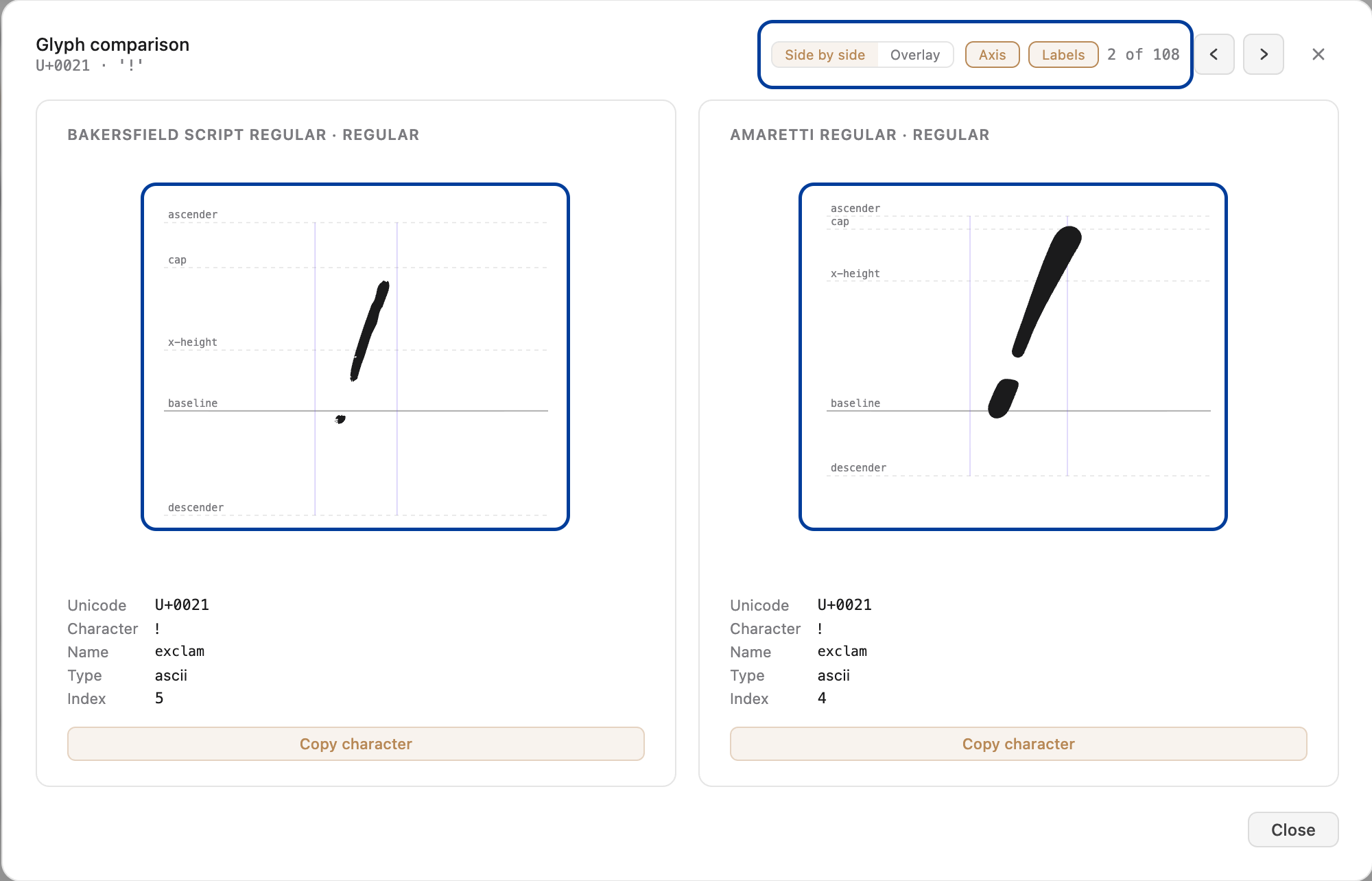
Single letter comparison, side by side 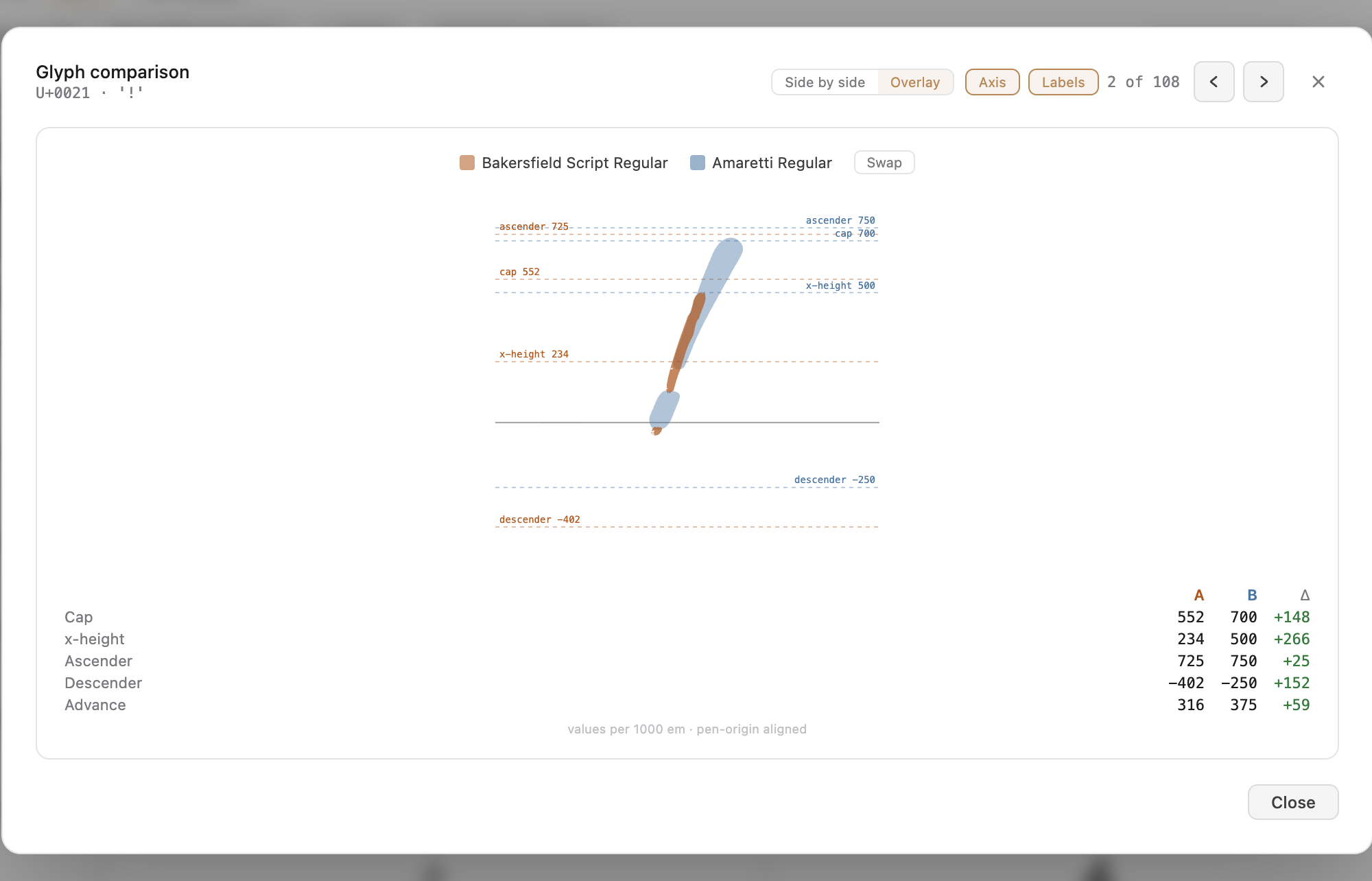
Single letter comparison overlay